
tag

Number System Converter

Convert between binary, octal, decimal and hexadecimal instantly
edit_calendar Last updated: Jul 22, 2026 | verified Reviewed by Calkulator Team | timer 2 min read
Conversion illustration
Conversion

Convert between decimal, binary, octal, and hexadecimal

Computer science students and developers frequently need to convert between number bases. The decimal number 255 is FF in hexadecimal, 11111111 in binary, and 377 in octal.

tips_and_updates Each hex digit maps to exactly 4 binary digits — this makes hex-to-binary conversion trivially fast.
Input
Number
From Base
Quick Reference — Decimal 0–15
Dec
Bin
Oct
Hex
0
0
0
0
1
1
1
1
2
10
2
2
3
11
3
3
4
100
4
4
5
101
5
5
6
110
6
6
7
111
7
7
8
1000
10
8
9
1001
11
9
10
1010
12
A
11
1011
13
B
12
1100
14
C
13
1101
15
D
14
1110
16
E
15
1111
17
F
Decimal (Base 10)
Enter a number above
Binary (Base 2)
Octal (Base 8)
Hexadecimal (Base 16)
insights
Live Result Illustration
Visual summary — updates instantly as you enter values above
LIVE
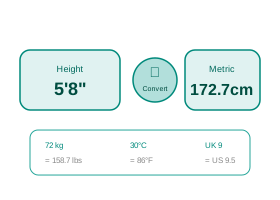
Unit Conversion Updates in real-time Input 5 ft 8 in Imperial Output 172.72 cm Metric Always round only after the full conversion is complete — early rounding causes measurement errors.
tips_and_updates

Real-Life Guide to Using the Number System Converter

Binary, hex, octal, decimal. Use the examples and checks below to turn the number into a practical decision.

When this calculator is useful

Needed when working with computer science coursework, networking (like subnet masks or MAC addresses), or programming tasks that require translating a number between binary, octal, decimal, and hexadecimal — for instance, decoding a hex color code or a binary IP address octet.

For most people, the best way to use the Number System Converter is to try the real case first, then change one input at a time. That makes the trade-off visible. For example, with a loan calculator you can change tenure while keeping the same rate; with an investment calculator you can change return assumption while keeping the same monthly contribution; with a health, education or measurement calculator you can check how much one input changes the final category.

The result should answer a practical question: Can I afford this? How much should I save? Is this score enough? Is this measurement within range? What is the safer or cheaper option? If the output does not answer the decision clearly, adjust the inputs until the scenario matches your real situation.

lightbulb Real-Life Example
Decoding a hex colour code: A web developer named Sameer sees the hex colour code #FF5733 in a CSS file and wants the individual decimal RGB values.
1Splitting into pairs: FF = 15×16 + 15 = 255, 57 = 5×16 + 7 = 87, 33 = 3×16 + 3 = 51 — so #FF5733 is RGB(255, 87, 51).
2Now change one input, such as rate, time, quantity, unit or score, and compare the new result with the first one.
Hex colour codes are just three 2-digit hexadecimal numbers concatenated together, each converting independently to a 0-255 decimal value for red, green, and blue.

Practical Advice

Use the Number System Converter as a planning tool, not just a number generator. Write down the inputs you used, because the final answer is meaningful only when you remember the assumptions behind it.

If the decision affects money, health, tax, safety, academics or legal compliance, keep a second check ready. That second check may be a bank quote, payslip, official rule, prescription, site measurement, mark sheet or invoice.

Common Mistakes

  • Forgetting that each hexadecimal digit represents exactly 4 binary bits — trying to convert binary 1010 to hex by working digit-by-digit instead of grouping into 4-bit chunks, which is the actual shortcut method.
  • Misreading a decimal-looking number as if it were already binary — assuming binary "101" equals decimal 101, when it actually equals decimal 5 (1×4 + 0×2 + 1×1).
  • Dropping leading zeros that matter for fixed-width representations — converting decimal 5 to binary as just "101" when an 8-bit context needs "00000101" to correctly represent one byte.
  • Confusing octal's leading zero notation with decimal — reading a number written as "017" in a programming context as decimal seventeen, when many languages interpret a leading zero as octal, making it equal to decimal 15.
  • Mixing up hexadecimal letter digits with English letters when transcribing by hand — misreading hex digit "B" (=11) as the number 8, or confusing "0" (zero) with the letter "O", which isn't a valid hex digit at all.

How to Interpret Results

Cross-check the output by converting it back to decimal in your head using place values (each binary digit is a power of 2, each hex digit a power of 16, each octal digit a power of 8) — if the round-trip doesn't match your original number, you likely selected the wrong "from" base.

A good interpretation looks at both the main result and the supporting values. If a page shows totals, ratios, categories, schedules or warnings, read those together instead of focusing only on the biggest number.

quiz

Number System Converter FAQs

Useful answers for interpreting the output, avoiding mistakes and using the result responsibly.

What are the four number systems this calculator converts between?
Binary (base 2, digits 0-1), octal (base 8, digits 0-7), decimal (base 10, digits 0-9, the everyday counting system), and hexadecimal (base 16, digits 0-9 plus A-F representing 10-15). Each system represents the same quantity using a different number of unique digit symbols.
How do I manually convert binary to decimal without a calculator?
Multiply each binary digit by 2 raised to its position power (counting from 0 on the right) and sum the results — for binary 1101, that's (1×8) + (1×4) + (0×2) + (1×1) = 13.
Why does computer science use binary instead of decimal?
Digital circuits are built from transistors that are most reliably operated as simple on/off switches, which naturally map to the two digits of binary (0 and 1) — decimal's ten distinct states would be far harder to represent reliably in electronic hardware.
Why is hexadecimal commonly used if computers work in binary?
Hexadecimal is used as a compact, human-friendly shorthand for binary because each hex digit maps neatly to exactly 4 binary bits, so a long binary string like 11111111 becomes just "FF" — far easier for programmers to read, write, and debug than a long string of 1s and 0s.
What's the quickest way to convert between binary and hexadecimal?
Group the binary digits into sets of 4 starting from the right, then convert each group independently to its hex equivalent — for example, 10110101 splits into 1011 (=B) and 0101 (=5), giving hex B5, without needing to go through decimal at all.
Why do IP addresses and subnet masks involve binary and decimal together?
IP addresses are stored and processed by networking equipment in binary, but are displayed to humans in "dotted decimal" notation (like 192.168.1.1) for readability — understanding the binary form is essential for subnetting calculations, which is why this conversion is a core networking skill.
Can this calculator handle negative numbers or fractions in different bases?
This calculator handles standard positive whole numbers across all four bases; representing negative numbers in binary computing typically uses a separate convention called two's complement, and fractional values use a binary point system — both are more specialized cases beyond simple base conversion.
Why does octal still get used when hexadecimal is more common today?
Octal was more prevalent in older computing systems built around word sizes divisible by 3 bits, and it persists today mainly in specific contexts like Unix/Linux file permission notation (e.g. chmod 755), where each octal digit conveniently represents a 3-bit permission set (read/write/execute).

Number Systems Explained

Different number systems use different bases — the number of unique digits available. The decimal system (base 10) uses digits 0–9. Binary (base 2) uses only 0 and 1. Octal (base 8) uses 0–7. Hexadecimal (base 16) uses 0–9 and A–F.

Computers work in binary at the hardware level — all data is ultimately stored as sequences of 0s and 1s. Hexadecimal is commonly used in programming because it's a compact way to represent binary values (each hex digit = 4 binary bits).

lightbulb Conversion Example
Convert decimal 255 to all bases:
1Binary: 255 = 11111111₂ (8 bits, all 1s)
2Octal: 255 = 377₈
3Hex: 255 = FF₁₆
✓ 0xFF is the maximum value of 1 byte (8 bits)

Where Each Base Is Used

  • Binary (base 2): CPU logic, boolean operations, bit manipulation in programming, data storage at hardware level
  • Octal (base 8): Unix/Linux file permissions (chmod 755 = rwxr-xr-x), older computing systems, assembly language
  • Decimal (base 10): All everyday arithmetic and mathematics
  • Hexadecimal (base 16): Memory addresses, color codes (#FF5733), MAC addresses, cryptographic hashes, Unicode code points

Key Terms

Bit
A single binary digit (0 or 1). The smallest unit of digital information.
Byte
8 bits. Can represent values 0–255 in decimal (00–FF in hex, 000–377 in octal, 00000000–11111111 in binary).
Nibble
4 bits = half a byte. Can represent 0–15 (0–F in hex). One hex digit represents exactly one nibble.
Two's Complement
The way computers represent negative numbers in binary. For a signed 8-bit integer, the range is −128 to +127 instead of 0 to 255.

quizFrequently Asked Questions

How do I convert binary to decimal manually?
Multiply each binary digit by the power of 2 corresponding to its position (starting from 0 on the right) and sum the results. Example: 1010₂ = (1×2³) + (0×2²) + (1×2¹) + (0×2⁰) = 8 + 0 + 2 + 0 = 10₁₀. For 11111111₂: (1×128) + (1×64) + (1×32) + (1×16) + (1×8) + (1×4) + (1×2) + (1×1) = 255. Each bit position doubles in value going left: 1, 2, 4, 8, 16, 32, 64, 128...
Why is hexadecimal used in programming and web colors?
Hexadecimal is a compact representation of binary. Since 16 = 2⁴, each hex digit represents exactly 4 binary bits (a nibble). A byte (8 bits) is represented by exactly 2 hex digits — much easier to read than 8 binary digits. Example: the binary string 11001111 becomes CF in hex. Web colors (#RRGGBB format) use 2 hex digits per color channel — #FF0000 = red (R=255, G=0, B=0). Memory addresses like 0x7FFF8000 are hex. Without hex, working with raw binary data would be impractical.
What does Unix permission 755 mean in binary?
Unix permissions use octal notation. 755 in octal = 7, 5, 5. Each digit represents 3 bits for Owner, Group, Others respectively. 7 (octal) = 111 in binary = read+write+execute (rwx). 5 (octal) = 101 in binary = read+execute (r-x). So chmod 755 = rwxr-xr-x: Owner can read, write, execute; Group and Others can read and execute but not write. 644 is common for files: 6=110=rw-, 4=100=r-- → Owner reads and writes, others only read.
keyboard_arrow_up